Compilation
Compiling a Keymap Source file
How to create binary keymap file?
Double-click on Aksharamala icon (or right-click -> Options) and select Keymap Maintenance window as shown below:
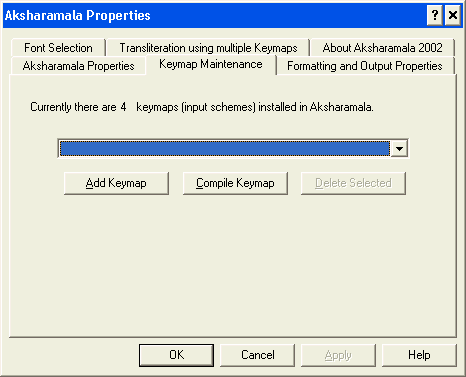
Figure A
Select "Compile Keymap" (Figure A) to select a source key map file (.akt) to convert it into a binary format (.akm). A file dialog opens up for selecting one or more (.akt) files (Figure B). After the selection process click open button. This will create a binary key map file (.akm) in the same directory.
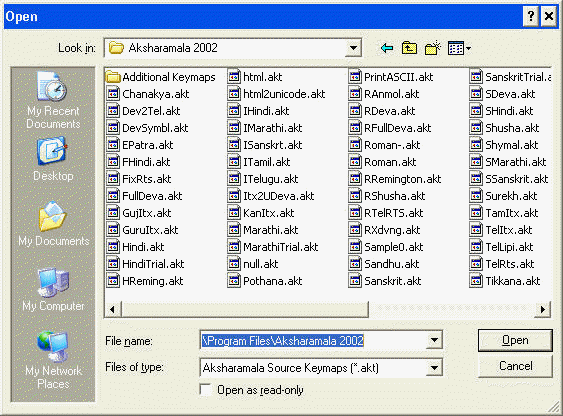
Figure B